Router Indicators
Instructions on the status and descriptions of each indicator on the router.
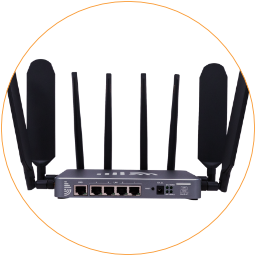
There are four indicators on the 5G router. From top to bottom, the left side is system & Wi-Fi, and the right is Power and Mobile. Below are the indicator descriptions.

5G Router Indicators
| Indicator | Status | Description |
|---|---|---|
| System | Green | This light indicates that the router is receiving power. If it's lit solid green, then the router has booted successfully. |
| Flash | The router system is booting up. The system indicator flashes while resetting or flashing the firmware. | |
| Off | No light at all indicates that the router is not receiving power. Check the electric outlet and power adapter. | |
| WiFi | Green | This light indicates that the WiFi hotspot is turned on. |
| Flash | If you are connected to the WiFi hotspot, it will flash green to indicate data going to and from the router. If the router is connected to another WiFi hotspot (WiFi relay), it will also flash because it has the data flow. | |
| Off | If it's off, your router is no longer sending a WiFi signal. You can log in to the router admin and turn on the WiFi hotspot. | |
| Power | On | After connected to the DC power adapter, it will turns on. |
| Mobile | Green | It shows the mobile connection status. Stay on green means the SIM card slot is activated, but it does not mean it is connected to the mobile network. Please log into the router to check the mobile connection status. |